Operational Maturity
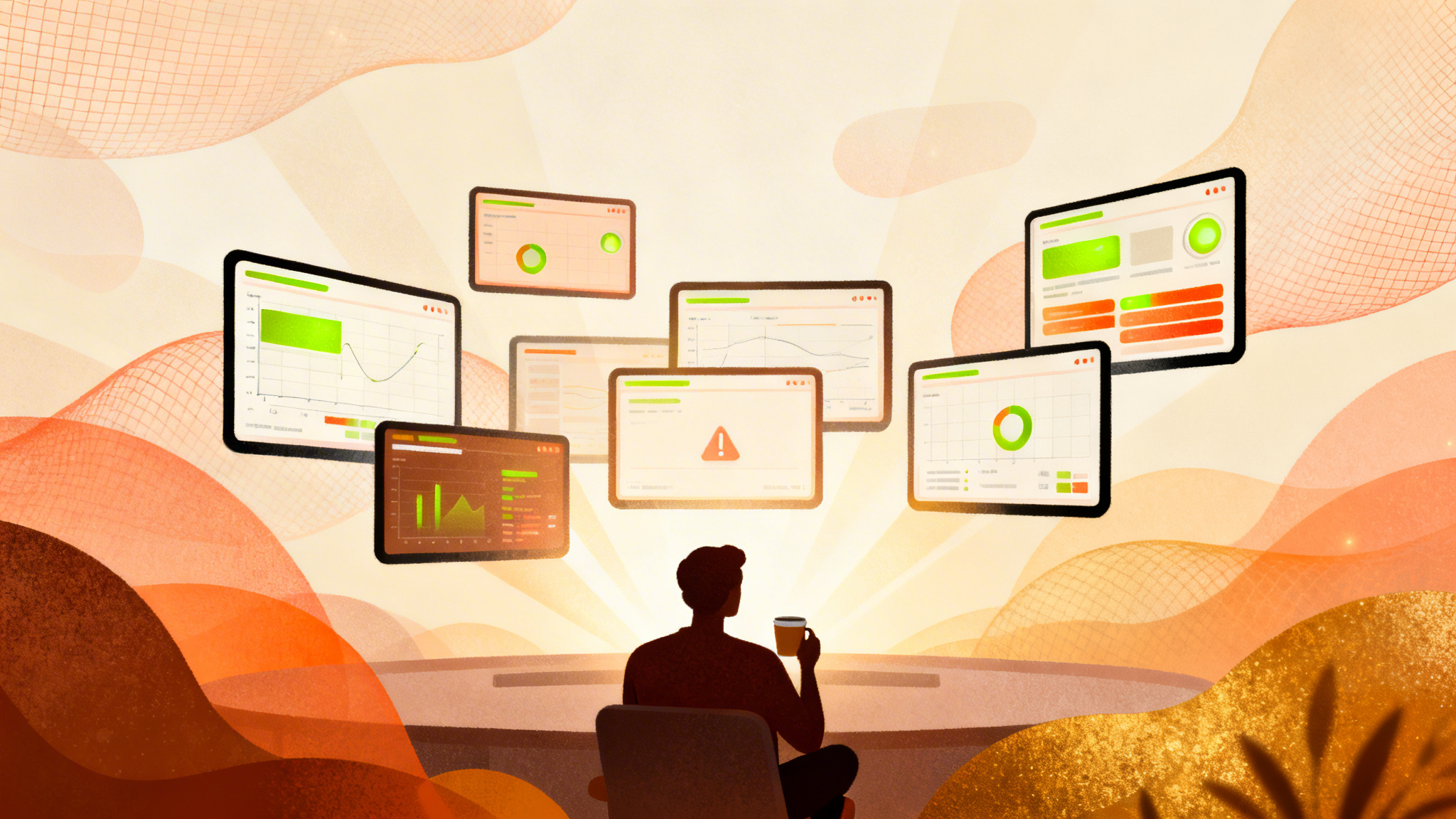
From managed tool to autonomous operator. AI runs projects without hand-holding.
The Psychology
“Trust developing. "I can give it a task and walk away — it'll do it right."”
The Reality
The AI brain is now mature enough to handle complex, multi-step projects with minimal oversight. Output is consistently accurate. Errors are caught by built-in verification.
From the Trenches
Real words from real sessions
“People can make some really cool looking stuff with AI. It's piss easy to make stuff look great. It's hard to get it to do and to create something of substance.”
“You can make an app in half an hour... but in order to have 18 months worth of content that a kid is not just going to have the same stuff coming around again and again... that's not a trivial task at all. There is still a moat.”
What You'll Build
4 modules in this phase
Multi-Agent Architecture
Deploy specialised agents for different business functions — research, analysis, content creation, monitoring. Each agent has its own context and expertise.
Deliverables
- Agent architecture designed
- 3+ specialised agents deployed
- Agent coordination patterns
- Parallel execution workflows
Frequently Asked Questions
What does 'multi-agent architecture' actually mean in practice?
It means running several specialised Claude Code instances, each configured for a specific business function — one for client reporting, another for content creation, another for data analysis, and so on. Each agent has its own CLAUDE.md with tailored instructions, access to relevant files, and domain-specific context, so it performs its role with far greater accuracy than a single general-purpose setup.
How do the agents communicate with each other?
Agents share information through a common file system — your project's 'brain' directory. One agent writes structured outputs (JSON, Markdown summaries, status files) that other agents can read. There is no direct agent-to-agent messaging; instead, you design shared data contracts so each agent knows where to find what it needs.
Do I need separate Claude Code subscriptions for each agent?
No. Each agent is simply a different session or configuration within your existing Claude Code setup. You can run multiple terminal sessions, each with a different working directory and CLAUDE.md context. The subscription covers your usage across all of them.
How do I prevent agents from interfering with each other's work?
Each agent operates in its own directory with its own CLAUDE.md that defines strict boundaries — which files it can modify, which it should only read, and which are off-limits entirely. You also use file-level conventions like lock files or status markers to coordinate shared resources. The key is clear ownership: every file has exactly one agent responsible for writing it.
When should I split a single agent into multiple specialised ones?
Split when you notice context window pressure (the agent forgetting earlier instructions), when tasks require fundamentally different skill sets (e.g. financial analysis vs creative writing), or when you want different team members to manage different functions independently. A good rule of thumb: if your CLAUDE.md exceeds 500 lines, you probably need to decompose.
Autonomous Monitoring & Alerting
AI that watches your business metrics, detects anomalies, and alerts you before problems become crises. From data pipelines to client performance to system health.
Deliverables
- Monitoring dashboard
- Anomaly detection rules
- Automated alerting system
- Daily briefing automation
Frequently Asked Questions
Can Claude Code actually monitor things on its own without me running it?
Claude Code itself does not run as a background daemon, but you can schedule it to run at intervals using task schedulers (cron on Mac/Linux, Task Scheduler on Windows). Each scheduled run triggers a Claude Code session that checks metrics, evaluates thresholds, and sends alerts via email or messaging APIs before closing. The effect is continuous autonomous monitoring.
What kinds of anomalies can it realistically detect?
It can detect metric deviations from historical baselines — sudden traffic drops, conversion rate changes, ad spend spikes, revenue dips, and API error rate increases. You define the thresholds and comparison periods in your configuration. It works best for structured, numerical data where 'normal' can be clearly defined.
How do I avoid being overwhelmed with false alerts?
You tune alert thresholds over time — start with wide bands (e.g. 30% deviation) and tighten as you learn what normal variance looks like for each metric. You can also implement tiered severity levels: informational notes for minor changes, warnings for moderate shifts, and critical alerts only for genuinely urgent issues. The monitoring script should log every check so you can review and refine.
What happens if the monitoring script itself fails?
You should build a 'heartbeat' check into your setup — a simple scheduled job that verifies the monitoring ran successfully within the expected window. If the heartbeat is missed, it sends a separate alert. This is standard practice in any automated monitoring system, and Claude Code can help you build both layers.
Predictable Multi-Project Delivery
Running 10+ projects simultaneously with consistent quality. Task management, priority systems, and the workflows that prevent anything falling through the cracks.
Deliverables
- Task management system integration
- Priority and scheduling frameworks
- Cross-project resource allocation
- Quality assurance automation
Frequently Asked Questions
How can Claude Code help manage 10+ projects without things falling through the cracks?
You create a structured project registry — a central file listing every active project with its status, next actions, deadlines, and blockers. A scheduled Claude Code session reviews this registry daily, checks for overdue items, identifies bottlenecks, and produces a prioritised action list. The system catches what human attention misses because it reviews every project every time, without fatigue.
Does each project need its own Claude Code setup?
Each project should have its own directory with a CLAUDE.md defining its scope, deliverables, and current status. You can work on them sequentially in a single Claude Code session or run separate sessions in parallel. The key is consistent structure across projects — standardised folder layouts, status files, and naming conventions — so the orchestration agent can reason across all of them.
How do I handle projects with very different requirements?
Each project's CLAUDE.md captures its unique requirements, tech stack, and conventions. When you switch between projects, Claude Code reads the relevant CLAUDE.md and adapts accordingly. For cross-project work (like a weekly status report), an orchestration agent reads the standardised status files from each project directory without needing to understand each project's internals.
What if a project is blocked waiting on a client?
Your project status file should include a 'blocked' state with the reason and date it was blocked. The daily review flags projects that have been blocked beyond a threshold (e.g. 5 days) and drafts follow-up communications. This ensures blocked projects do not silently stall — they escalate automatically.
Team Collaboration Patterns
Multiple team members working with the same AI brain without stepping on each other's work. Shared conventions, access control, and collaborative workflows.
Deliverables
- Multi-user access patterns
- Role-based permissions
- Collaborative development workflow
- Conflict resolution protocols
Frequently Asked Questions
How do multiple team members share the same Claude Code 'brain' without conflicts?
The brain lives in a Git repository that everyone clones. Each team member works in their own branch or on their own files, and changes merge through standard Git workflows. CLAUDE.md files define who owns which areas. The key convention is: shared context files are read by everyone but written by designated owners, preventing merge conflicts and contradictory instructions.
Can we control what different team members are allowed to do with Claude Code?
Yes. Each team member's CLAUDE.md can define their permission level — for example, one person can deploy to production while others can only deploy to staging, or one person can modify database schemas while others have read-only access. Claude Code respects these instructions, and you can reinforce them with Git branch protection rules and deployment pipeline controls.
How do we avoid the 'it works on my machine' problem with Claude Code?
By committing all Claude Code configuration (CLAUDE.md files, skills, agent definitions) to the shared repository and using relative paths throughout. Every team member's environment reads the same instructions from the same repo. Machine-specific settings (API keys, local paths) go in gitignored files with a shared template so everyone knows what to configure locally.
What happens when two people ask Claude Code to edit the same file?
Git handles this the same way it handles any concurrent edit — through merge conflict resolution. The practical mitigation is clear file ownership: CLAUDE.md should specify which team member (or agent) is responsible for which files. If ownership is ambiguous, you will get merge conflicts, so establish conventions early.
How do we onboard a new team member into an existing Claude Code setup?
They clone the repository, set up their local environment variables from the provided template, and start working. Because all the intelligence lives in the committed CLAUDE.md files and skills, a new team member immediately benefits from the entire accumulated knowledge base. You should also have an onboarding checklist in the repo covering local setup steps, key files to read, and conventions to follow.
War Stories
Real examples from CoffeeBrain
These aren't hypothetical scenarios. Every story happened. Every lesson was learned the hard way.
15 Clients, One Brain
CoffeeBrain manages 15 client accounts simultaneously — each with unique configurations, brand guidelines, data pipelines, and reporting requirements. One system, zero confusion between clients.
Lesson learned:
Operational maturity isn't about doing one thing well. It's about doing everything well, simultaneously, without mixing things up.
9 Claude Windows Running Simultaneously
Building reports, BigQuery tables, Microsoft Ads pipeline, a VAT case, and a profit/loss report in Google Sheets — all at the same time across 9 Claude instances. Even finished a task while shopping at Asda from a phone.
Lesson learned:
Phase 5 is when AI stops being a tool you use and becomes a department you manage. The constraint is no longer capability — it's your ability to direct multiple workstreams.
Included Skills
Downloadable Claude Code skills
Pre-built, production-tested skills you can install directly into your Claude Code environment.
- Multi-agent orchestrator
- Monitoring dashboard skill
- Daily briefing automation
- Team collaboration templates
- Task management integrator
Outcomes
By the end of this phase
Clear, measurable outcomes that prove you've completed this phase and are ready for the next.
- Multi-agent architecture operational
- Autonomous monitoring and alerting live
- 10+ projects managed simultaneously
- Team collaboration patterns established
- Consistent quality across all output
- Minimal human oversight required for routine tasks
Knowledge Check
Phase 5 Test
20 questions to verify your understanding of Operational Maturity.
What is the primary benefit of deploying specialised agents per business function in Claude Code rather than using a single general-purpose agent?
When coordinating multiple Claude Code agents working in parallel, what is the most critical risk to manage?
In a multi-agent architecture, what role does the CLAUDE.md file play for each specialised agent?
A business runs 9 Claude Code windows simultaneously — building reports, syncing data pipelines, and generating client analysis. Which architectural pattern makes this possible?
When designing a multi-agent system, what is the recommended approach for handling a task that spans multiple agent domains (e.g. a client report requiring data analysis AND content writing)?
What distinguishes anomaly detection from simple threshold-based alerting in an AI monitoring system?
A daily briefing automation system sends a morning summary to the team. What data should it prioritise to be operationally useful?
Your autonomous monitoring system detects a 40% drop in conversion rate for one client at 3am. What is the correct automated response?
When building a data pipeline monitoring system in Claude Code, why is it important to monitor for silent failures rather than just errors?
What is the key advantage of having Claude Code generate automated alerts rather than relying on third-party monitoring tools alone?
When managing 10+ simultaneous projects through Claude Code, what is the single most important factor for preventing tasks from falling through the cracks?
A priority system for multi-project delivery should be based on which of the following?
Quality assurance automation at operational maturity should primarily focus on which approach?
When running multiple projects simultaneously, what is the correct approach to resource allocation across Claude Code instances?
A team member notices that two separate Claude Code sessions have both started working on the same client task. What process failure does this indicate?
When multiple team members share the same AI brain (codebase), what is the most effective way to prevent conflicting changes?
In a role-based permissions model for an AI brain, what is the primary purpose of restricting certain team members to read-only access for databases?
A conflict resolution protocol for shared AI operations should prioritise which principle?
When onboarding a new team member to an established AI brain system, what should they learn first?
A collaborative development workflow for a shared AI brain should include which of the following as a mandatory step before code reaches production?
0/20 questions answered
Ready to start Phase 5?
Whether you're going self-service or want hands-on guidance, I'll help you get through Operational Maturity with confidence.